September 28, 2026
My child is learning coding can mean almost anything. Here is what children can realistically build with code at ages 8, 10 and 12, and what each project teaches.


A straight answer, plus an age-by-age roadmap from four to eighteen.
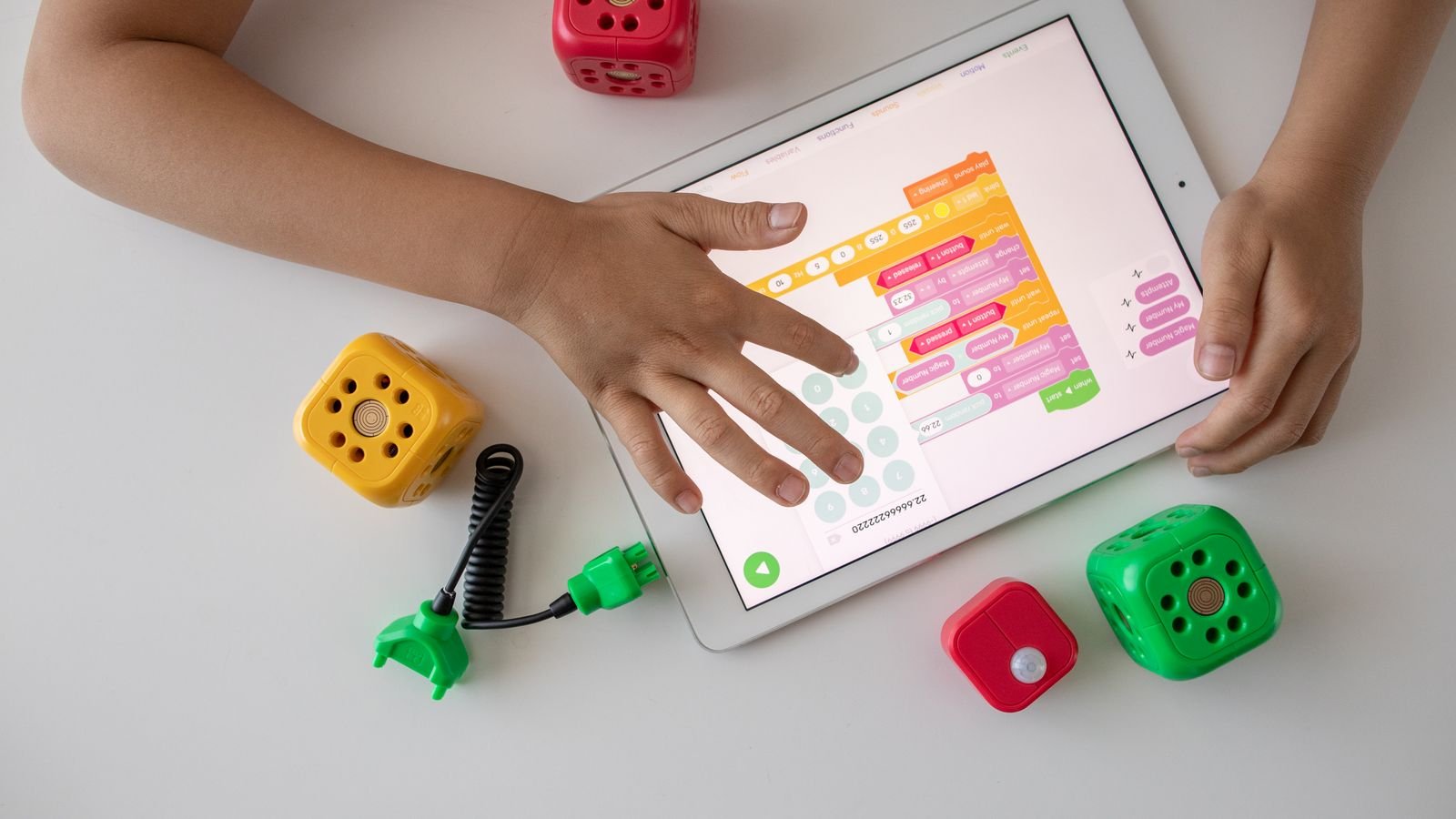
Ask ten people when a child should start coding and you will get ten answers, ranging from three to sixteen. The confusion comes from treating coding as one thing. It is not. What a six year old does and what a fourteen year old does are barely the same activity.
Here is the honest version, broken down by what a child can actually handle at each stage.
Around age 5 for block coding, and around age 10 for typed code. That is the pattern that fits most children, and the tools themselves were designed to that shape. ScratchJr is built specifically for ages 5 to 7 and works almost entirely through pictures, while Scratch from the MIT Media Lab is aimed at ages 8 to 16.
Below five, a child can enjoy coding-style play, and it is genuinely good for them, but it is closer to a puzzle game than a subject. Above ten, a child who has never coded is not behind at all. They will simply skip several steps and move faster than a younger beginner.
Readiness is a better guide than a birthday, and it comes down to three things. First, can your child follow a three-step instruction in the right order without being reminded? Sequencing is the whole foundation of programming. Second, do they notice when something has gone wrong, such as spotting that a tower of blocks is about to fall? That is debugging. Third, can they stay with one thing for fifteen minutes when it interests them?
If all three are yes, your child is ready, whether they are four or nine. If one is missing, wait a few months. Nothing is lost, and starting when a child is ready is the difference between coding becoming a passion and becoming another thing they resist on a Saturday morning.
Six things about children and coding that surprise most parents
ScratchJr was designed for ages 5 to 7 and lets children build interactive stories and games before they can read fluently.
Research on preschool coding consistently finds that five and six year olds outperform four and five year olds on the same tasks. Development moves fast at this age.
MIT recommends the main Scratch platform for ages 8 to 16, though the team is clear that anyone can use it.
Since 2020, a coding programme has been compulsory for all upper primary students in Singapore schools.
That is exactly why it is the usual first typed language for children. Fewer symbols means fewer frustrating errors.
Professional programmers spend more time finding out why something broke than writing new code. Children learn this from lesson one.
At this age the goal is a single idea: a computer does exactly what you tell it, in the exact order you tell it. Nothing more. Children drag picture blocks such as “walk”, “jump” or “sing” into a row and watch a character obey.
Sessions should be short, twenty to thirty minutes, and an adult should sit alongside. Expect a lot of delighted repetition, because a four year old will happily make the cat jump forty times. That is not wasted time. It is how they confirm the rule that the same instruction gives the same result.
What good looks like at this stage: your child can put three or four blocks in a deliberate order to make a small story happen, and can fix it when the order is wrong.
This is where coding stops being a toy and becomes a subject. Children move to full Scratch and meet the three ideas that underpin all programming: loops (do this again), conditionals (if this happens, do that) and variables (remember this number).
The milestone here is the first proper game. Something with a character, a score, an enemy and a way to lose. It usually takes a handful of lessons, and it is the moment most children decide they like coding, because they have built something their friends actually want to play.
Research on block-based programming with primary-aged children supports this stage strongly. A study on ScratchJr in early childhood education found that structured block coding meaningfully improved children’s understanding of concepts such as algorithms and representation. The blocks are training real thinking, not just entertaining.
Around age ten, most children are ready for Python, and the shift is bigger than it looks. Blocks cannot be spelled wrong. Typed code can, and suddenly a missing bracket stops everything. This is frustrating for about three weeks and then becomes ordinary.
Do not rush this transition. A child pushed into Python before they are comfortable with loops and conditionals ends up fighting two battles at once: the logic and the typing. A child who moves across after a solid year of Scratch usually finds Python easy, because only the surface has changed.
What they build here: calculators, quizzes, number games, simple automation. Small useful things rather than flashy ones. This is also the natural age for a first website.

From thirteen, the best coding education stops being about lessons and starts being about projects. Teenagers need a reason, and “it will be useful one day” is not one. A friend’s small business needing a website is. A game they want to publish is. A science fair entry is.
This is also the age for the conceptual layer: how data is structured, how algorithms compare, how machine learning models are trained and where they fail. That understanding supports school computing subjects and stands out in university applications, but the honest reason to teach it now is that teenagers find it genuinely interesting.
Some will want the competitive route, with data structures, algorithms and contest preparation. Others will want to build apps. Both are valid. The mistake is forcing a teenager down the path the parent finds more impressive.
No, and the anxiety around this is misplaced. A fifteen year old starting from zero has reading, typing, maths and abstract reasoning already in place, and can cover in six months what an eight year old covers in two years. Starting early has advantages, but they are advantages of comfort and confidence, not of ceiling.
The one thing that genuinely does damage is a bad first experience. A child who sits through a class that is too fast, too slow or too passive learns that coding is boring, and that belief is far harder to undo than a late start. If your child has already tried coding and disliked it, the class was probably wrong for them, not the subject.
Simple things you can try at home this week
Run the readiness test today. Give a three-step instruction and watch. If your child does it in order, they are ready to start coding.
Match the tool to the age, not the ambition. A five year old on Python will conclude they are bad at coding. The same child on blocks will conclude they are good at it.
Keep the first sessions under thirty minutes. Stop while they still want more. That is what brings them back.
Praise the fixing, not the finishing. Say “you found the mistake” rather than “you finished it”. The first builds persistence.
Try ScratchJr or Scratch for free first. Both are free, and half an hour of open play tells you more about readiness than any checklist.
Do not compare siblings. A two year gap in age is an enormous gap in abstract reasoning. The younger one is not slower, just younger.
Let the project belong to them. If your child wants to build something silly, let them. Ownership is the engine.
A loop puzzle you can read aloud to your child
A robot follows this instruction: repeat 4 times { place a red tile, place a blue tile, place a blue tile }. What is the colour of the tenth tile it places?
Tap a question to reveal the answer
Pick the stage your child sits in, open the free tool for that stage, and give them half an hour with no goal at all. Watch what happens. If they keep going after you stop watching, you have your answer and it is time to give them proper structure. If they wander off, wait three months and try again.
And if you want a second opinion from someone who does this every day, a single trial lesson will tell you where your child actually is, which is usually a little different from where a parent expects.
MasterMindz teaches children worldwide through live, personal 1 on 1 online classes in coding, chess, maths and more, with experienced tutors and a fun, individual approach. MasterMindz has taught 750+ students across 11+ countries, and every child starts with a free trial class.