September 28, 2026
My child is learning coding can mean almost anything. Here is what children can realistically build with code at ages 8, 10 and 12, and what each project teaches.


A month by month picture of what actually happens, with no promises about your child becoming a software engineer by Christmas.
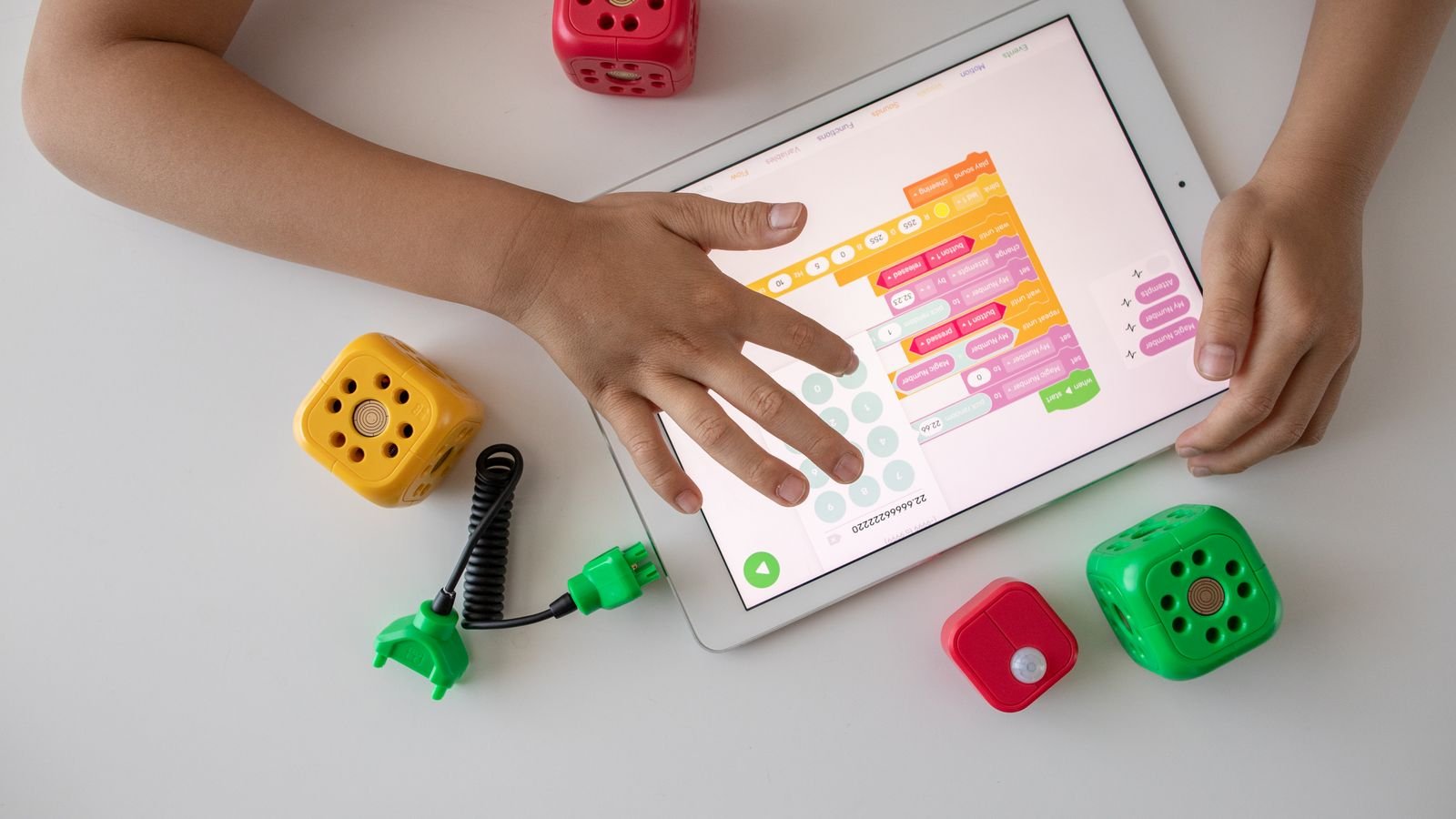
Coding classes for young children are advertised with a lot of confidence and not much detail. Parents are told their child will “build apps” and “think like an engineer”, then three months later there is a folder of half finished projects and no clear sense of what changed. This article is the specific version: what a 7 year old can genuinely make, week by week, and what it means.
The timeline below assumes one class a week plus a little practice at home. Some children move faster, some slower, and both are completely fine at this age.
In three months a 7 year old can build three real, finished things: an animated scene where characters move and talk, a simple game where something is chased or caught with keyboard controls, and a quiz or catching game that keeps score and reacts when the player wins or loses. Those are complete projects a child can show a grandparent, not exercises.
What they will not have done is write typed code, build a phone app, or make anything with a database or a login. Any programme promising those things for a seven year old is selling a story. At this age the goal is the thinking, and the projects are just where the thinking becomes visible.
In the first month a child learns to make a character move, speak and react, which sounds small and is actually the whole foundation. They work in a block based environment, usually Scratch, the free visual coding language built at MIT, where instructions are coloured blocks that snap together like puzzle pieces. Because badly formed code simply will not connect, a child cannot get stuck on a missing bracket.
Weeks one and two are usually about sequence: making a cat walk ten steps, turn, say hello, wait a second. It looks trivial. What is really happening is that the child discovers the computer does exactly what it is told in exactly the order it is told, which is a genuinely new idea for a seven year old.
By weeks three and four they add costumes and backdrops and make a short animated story. The typical first project is a scene with two characters having a conversation while walking across the screen. Expect a lot of pride and a lot of sound effects.
Month two is where loops and events arrive, and it is the month a child stops making animations and starts making games. A loop lets them say “keep doing this forever” instead of dragging the same block twenty times. An event lets them say “when the green flag is clicked” or “when the right arrow key is pressed”.
Put those two ideas together and a child can build keyboard controls. That is the moment coding clicks for most children, because for the first time the thing on screen responds to them. The classic month two project is a maze game: guide a character to the exit, and if they touch a wall, go back to the start.
This is also when the first real debugging happens. The character moves the wrong way, or goes through walls, or vanishes off screen. Working out why is more valuable than the game itself, and a good tutor will resist fixing it for them.
Six things about children and coding that surprise most parents
Block based languages are designed so incorrectly formed code cannot connect at all, which removes the single most frustrating barrier for beginners.
It was created by the Lifelong Kindergarten group at the MIT Media Lab specifically so young people could start programming without technical syntax.
The moment a child replaces twenty repeated blocks with one loop is the moment they start thinking like a programmer.
Professional developers spend more time finding out why something broke than writing new code. Children start practising this in month two.
Block based coding is by far the most researched approach for teaching computational thinking to primary aged children.
Children aged 6 to 8 typically do their best coding in 30 to 45 minute stretches. Longer sessions produce more frustration, not more learning.
Month three introduces variables and conditions, which turn a game into a proper one with a score, lives and a win screen. A variable is simply a box the child names, such as “score”, and puts a number in. A condition is an “if this, then that” rule, such as if the score reaches ten, say “You win!”.
The standard end of term project is a catching game. Objects fall from the top of the screen, the player moves a basket left and right, catching adds a point, missing loses a life, and reaching a target score ends the game. That single project uses sequences, loops, events, variables and conditions all at once, which is why tutors like it so much.
By the end of month three your child should be able to sit with you, open their project, and explain what each part does. That explanation is the real test. A child who can narrate their own code understands it, and a child who cannot has been following instructions.
The projects are the visible part, and the underlying learning is computational thinking: breaking a big problem into small steps, spotting patterns, ignoring irrelevant detail, and designing a sequence of instructions that works every time. Reviews of the research in this area, such as this systematic review of computational thinking in primary and pre school children, find block based coding to be the most widely used and studied route into these skills for young learners.
In practice, parents notice it in odd places. A child who has spent three months debugging tends to approach a broken toy or a stuck level in a game differently. Instead of “it does not work”, you start hearing “let me try changing this one thing”. That habit of isolating one variable at a time is a scientist’s habit, and it transfers to school work.
There is a second, quieter benefit. Coding is one of very few screen activities where the child is the author rather than the audience. For families worried about screen time, that difference matters more than the number of minutes.
At seven, blocks first, always. Typed languages such as Python demand accurate spelling, punctuation and spatial layout, and a seven year old spends so much energy on the typing that there is nothing left for the thinking. Block coding removes that cost entirely, which is precisely why it was invented.
The natural transition to typed code is usually somewhere between 10 and 12, once the child is a fluent reader and typist and has the core concepts already in place. Children who make that jump having done two or three years of block coding tend to move very quickly, because they are only learning new syntax, not new ideas.
If a programme is pushing Python at a seven year old, ask what your child will actually produce. Very often the answer is short exercises copied from a screen, which teaches typing rather than programming.
Around 60 to 90 minutes a week is plenty for a seven year old, usually one class plus one short practice session. Coding is dense work and young children hit a wall of concentration well before they hit a wall of interest.
Watch the shape of the time rather than the total. Thirty focused minutes where the child is building and testing beats ninety minutes of drifting between projects. If your child is still going strong at forty five minutes, let them finish what they are on. If they are frustrated at fifteen, stop and come back tomorrow. The project will still be there, and the frustration will not be.
One practical detail. Save and name every project properly. Children who can scroll back through eight finished projects at the end of term see their own progress, and that visible record does more for motivation than any amount of encouragement from a parent.
Simple things you can try at home this week
Ask them to teach you one block. Five minutes of your child explaining a block to you is worth an hour of extra practice.
Play the robot game. Your child gives you instructions to make a sandwich and you follow them literally. Chaos, laughter, and a perfect lesson in sequencing.
Do not fix the bug for them. Ask “what did you expect to happen, and what happened instead?” That one question is the whole of debugging.
Finish things. One completed simple project beats four ambitious abandoned ones. Finishing is a skill of its own.
Let them add silly sounds. Personalising a project is what makes a child come back to it. Resist the urge to keep it tidy.
Show the projects to someone. A grandparent on a video call is a wonderful audience, and presenting the work cements the learning.
Keep sessions short and regular. Two thirty minute sessions beat one hour long one at this age, every time.
Read this one out loud to your child
A child writes instructions for a robot to draw a square: move forward 10 steps, turn right, repeat 4 times. When they run it, the robot ends up back where it started but the square looks like a single straight line with the robot spinning. The instructions were followed exactly. What is missing?
Tap a question to reveal the answer
Three months will not produce a young software engineer, and it is not meant to. What it produces is a child who understands that a computer follows instructions, who has broken something and worked out why, and who has finished three projects they are proud of. That is a genuinely strong foundation, and it is far more than most adults expect from a seven year old.
If you are trying to work out whether your child will take to it, one class tells you almost everything. Watch whether they want to change something in their project before the class has even finished. That impulse is the whole thing.
More for curious parents
MasterMindz offers live 1 on 1 online classes for children and has taught 750+ students across 11+ countries. Our coding tutors teach personally, build every project around the child’s own interests, and move at the pace that suits them, in coding, chess, maths and more.