September 28, 2026
My child is learning coding can mean almost anything. Here is what children can realistically build with code at ages 8, 10 and 12, and what each project teaches.


A clear, age by age path from blocks to real code, written for parents who do not code
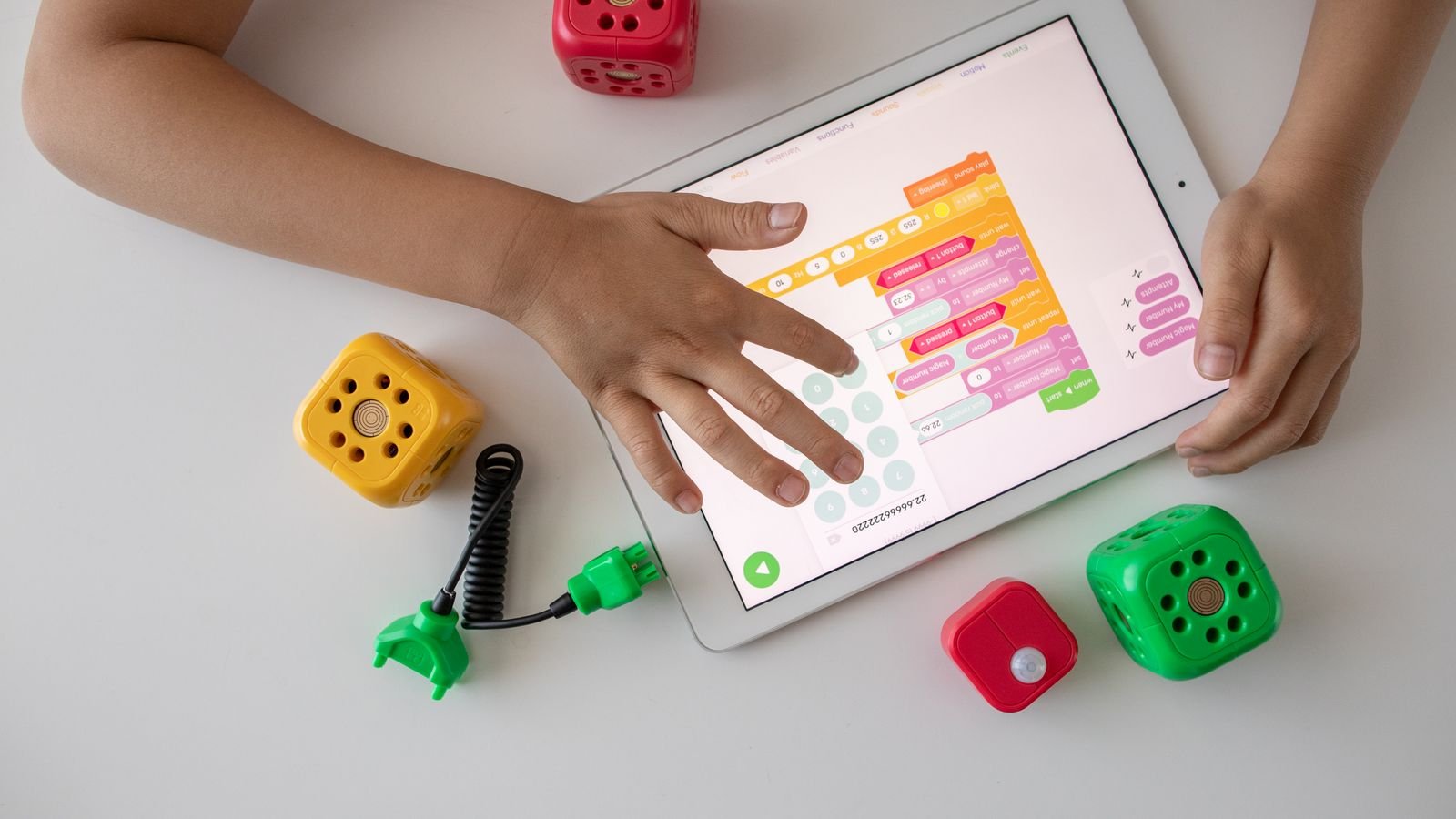
Most children can begin coding between the ages of 5 and 7, using colourful drag and drop blocks rather than typed text. Typed languages such as Python usually make sense from around age 10. But the age is the easy part of the question. The harder and more useful question is what your child should learn first, because starting in the wrong place is the most common reason bright children decide coding is boring.
Here is the short version of the path: logic first, blocks next, typed code later, real projects last. A six year old dragging blocks to make a cat dance is doing exactly the same thinking as a professional engineer sequencing steps. The syntax is the last thing to arrive, not the first. This guide walks through what to expect at every age from 4 to 15, and what to actually do in each stage.
Ages 5 to 7 is when most children can start structured coding, using block based tools designed for their age. This is not a marketing claim. ScratchJr, built by the MIT Media Lab together with Tufts University, is explicitly designed for children aged 5 to 7, while the full version of Scratch is aimed at children aged 8 and above. Those two age bands are a reliable map, because they were drawn by researchers studying what children of each age can actually hold in their heads.
There is real cognitive value in it too, not just career preparation. A review of experimental studies on coding interventions found measurable effects on children’s executive functions, including working memory, planning and problem solving, across learners aged 4 to 16. In plain terms, coding trains a child to break a big problem into small ordered steps and to check their own work. That habit is useful long before any job interview.
The one caveat: readiness varies enormously between children of the same age. A curious six year old who loves building things will often out-pace a nine year old who was signed up without being asked. Interest is the real starting gun.
Children aged 4 to 6 can learn genuine coding logic with no device at all. This is sometimes called unplugged coding, and it is far more valuable than it sounds. The core ideas of programming are sequencing, cause and effect, patterns and debugging, and every one of them can be taught with paper, toys or a hallway.
Three games that work: give your child a set of arrow cards and have them “program” you to walk to the fridge, then let them find the bug when you end up in the wall. Build a Lego tower from written instructions in the wrong order. Play a pattern game where they continue a sequence of coloured blocks. Each of these is teaching the exact skill that later becomes a loop or a conditional statement.
If you do want a screen at this stage, keep it to short sessions with a tool made for the age. Fifteen minutes is plenty. What you are protecting here is your child’s belief that this is a game, because a child who thinks coding is fun at five will still be coding at fifteen.
Six coding facts your child will love telling someone
Ada Lovelace wrote what is widely considered the first computer program in the 1840s, for a machine that was never even built.
Engineers once found an actual moth stuck inside a computer, taped it into the logbook, and the word debugging stuck.
Scratch was created by the Lifelong Kindergarten group at the MIT Media Lab, and millions of children around the world now share projects on it.
Python is not named after the snake. Its creator named it after the British comedy show Monty Python’s Flying Circus.
Every game, song and photo on a computer is stored as long strings of two digits. Your child’s favourite game is, underneath, a very long number.
Experienced engineers spend more time fixing code that does not work than writing code that does. Being wrong is the job, not a sign of failure.
Ages 7 to 9 is the sweet spot for block based coding and first real projects. This is where Scratch belongs. Your child snaps together coloured blocks to make characters move, react and score points, and in doing so uses loops, conditions and events without ever fighting a spelling mistake. That last point is the whole reason blocks exist: a seven year old should spend their energy on the idea, not on a missing semicolon.
What to expect: the first project is usually a chase game or an animated story. It will be chaotic. The sprite will fly off the screen. That is good. Debugging their own mess is where the learning lives, and children of this age are surprisingly relaxed about it because they see the result instantly.
A useful benchmark for parents: by the end of a year of steady work at this age, a child should be able to plan a small game on paper, build it, find and fix at least three of their own bugs, and explain to you how it works. If they can explain it, they understand it.
Around age 10 is when most children are ready to move from blocks to typed code, usually Python. Two practical things change at this age. Typing gets fast enough to not be the bottleneck, and reading is fluent enough that error messages are information rather than noise. Children also become abstract enough to hold an idea like a variable, a container whose contents change, comfortably in mind.
Python is the usual first typed language, and for good reason: it reads almost like English, needs very little ceremony to get a result on screen, and is genuinely used by professionals, which matters more to a ten year old than adults expect. Web basics, HTML and CSS, are a good parallel track because a child can show the result to a grandparent in one click.
Expect a dip here. The first weeks of typed code feel slower than blocks, and a child who was flying in Scratch may suddenly feel stuck. This is the single most common point at which children quit coding. A good teacher plans for it by keeping projects small and visible, so the child gets a working result in the first session rather than a lecture on syntax.

From 13, coding should stop being lessons and start being projects. Teenagers lose interest in exercises quickly, but they will work extraordinarily hard on something that is theirs: a game their friends can actually play, a website for a school club, a small app that solves an annoyance in their own life. The teaching job at this age is mostly to unblock and to raise the standard, not to lecture.
This is also the right age to meet artificial intelligence honestly. Teenagers already use AI assistants. Pretending otherwise helps nobody. The skill worth teaching now is how to use these tools without letting them replace thinking: read what the tool produced, explain it back, test it, and fix what it got wrong. A teenager who can review and correct AI generated code is far more employable than one who can write basic code from scratch but cannot judge it.
A practical goal for these years: three finished projects your child can show and explain. Finished matters. Ten abandoned half projects teach far less than one thing that actually works end to end.
The right order is sequencing, then loops, then conditions, then variables, then functions. Age decides how these are taught. The order itself barely changes, whether your child is six with blocks or fourteen with Python.
Sequencing is simply doing things in order, and it comes first because everything else sits on it. Loops come next, because repeating something is the first moment a child feels the computer doing work for them. Conditions follow, the if this then that logic that makes a program feel alive. Variables come after that, since holding a changing value takes more abstract thinking. Functions come last, because they are about organising code you have already written.
What is not on that list, deliberately: choosing the perfect language, memorising syntax, and worrying about which framework is fashionable. Parents often ask whether their child should learn Python or JavaScript first. Honestly, it makes very little difference. A child who understands loops will pick up a second language in weeks.
Two short sessions a week is enough to make real progress at any age. For children aged 5 to 8, that means twenty to thirty minutes at a time. For ages 9 to 12, forty five minutes to an hour. For teenagers working on their own projects, longer stretches suit better because they need time to get into flow.
Consistency beats intensity, and it is not close. A child who codes twice a week for a year will be far ahead of a child who did an intensive camp in the summer holidays and nothing since. Skills like this decay quickly without contact.
One more thing worth knowing: coding is one of the subjects where 1 on 1 attention makes the biggest difference, because every child gets stuck at a different point and stays stuck until someone looks at their particular screen. In a class of twenty, a child with a bug can sit frustrated for the entire session. That is the main reason many families move to personal classes, and it is worth testing with a free trial before committing to anything.
Six things you can try at home this week, even if you have never written a line of code
Play the robot game. Your child gives you step by step instructions to make a sandwich, and you follow them exactly and literally. The laughing is the lesson.
Ask them to explain it to you. After any project, have your child talk you through how it works. Explaining is the fastest way to find the gaps.
Do not fix the bug for them. Ask “what did you expect to happen, and what actually happened?” instead. That question is most of what debugging is.
Aim for finished, not fancy. One small working game beats an ambitious project abandoned at 40 percent. Finishing builds confidence that carries into the next one.
Let them build something silly. A program that makes rude noises teaches the same loops as a maths quiz, and your child will keep going for hours longer.
Show the result to someone. A grandparent on a video call is a perfect audience. Being seen is a stronger motivator for children than any certificate.
Read this out to your child and see if they catch it
A child writes a program for a robot to draw a square. The instructions are: Repeat 4 times: move forward 10 steps, turn right 90 degrees. Then they write a second program for a triangle: Repeat 3 times: move forward 10 steps, turn right 90 degrees. The square works perfectly. The triangle does not. Why not?
Tap a question to reveal the answer
Pick the stage that matches your child today, not the stage you hope they reach. A five year old starts with arrow cards and a hallway. A seven year old starts with blocks and a chase game. An eleven year old starts with Python and something small that runs in the first hour. Getting this match right is most of the work, and getting it wrong is why so many children announce that coding is boring after three weeks.
If you are unsure where your child sits, the fastest way to find out is to watch one lesson with a teacher who adjusts as they go. Scratch itself was built on the idea that children learn best by making something they personally care about, and that principle is a good test of any class you consider. If your child leaves the first session with something they built and want to show you, the level was right.
More for curious parents
MasterMindz teaches children worldwide through live, personal 1 on 1 online classes in coding, chess, maths and more, with experienced tutors and a fun, individual approach. MasterMindz has taught 750+ students across 11+ countries, and every child starts with a free trial class with no commitment.